How to deliver wedding photos to clients (2026 guide)
Delivery · Updated 29 September 2026 · 6 min read · By the Caloreel editorial team
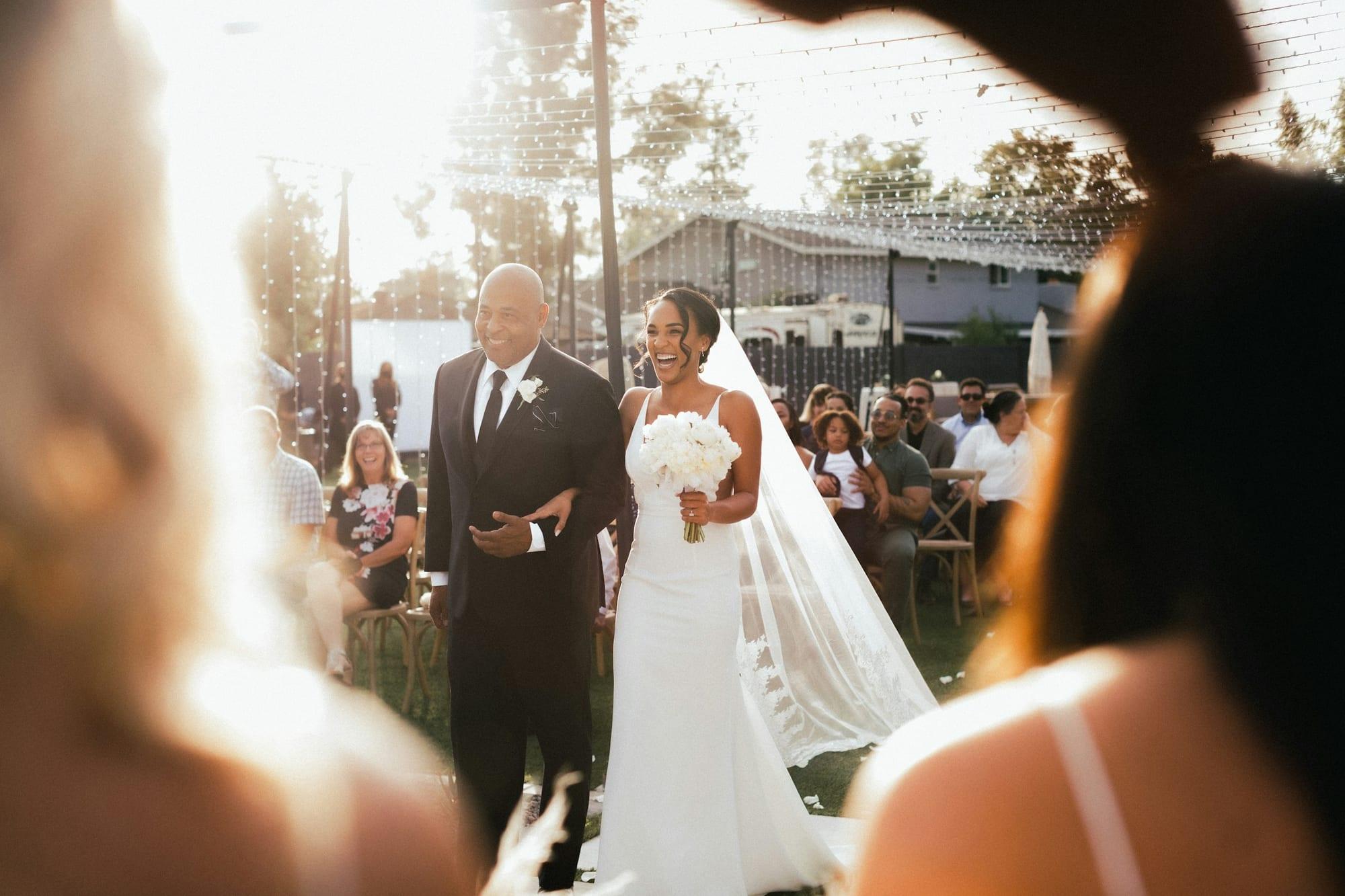
Photograph by Jakob Owens, via Unsplash.
The short answer
Most wedding photographers deliver through a private online gallery: a handful of sneak peeks within a few days, then the full edited set, organised into scenes, with high-res downloads for the couple and web-size downloads for guests. Set an expiry date, tell the couple to back up, and offer prints or an album from the same gallery.
How do photographers get photos to clients?
There are three common ways to hand over a wedding: a private online gallery, a download link, or something physical such as a USB or a printed album. Most photographers now lead with the gallery and treat the others as extras.
| Method | Works well for | Watch out for |
|---|---|---|
| Private online gallery | Almost every wedding: viewing, favourites, downloads, sharing and print orders in one place | Storage costs, and an expiry date you need to explain |
| Download link (Dropbox, WeTransfer, Google Drive) | A quick handover to a couple who only want the files | Links that expire within days, no presentation, nothing for guests |
| USB or keepsake box | Premium packages, and relatives who don't do links | Postage, cost per unit, and laptops without USB-A ports |
| Printed album or prints | The heirloom at the end of the process | Design time, and a selection deadline the couple has to meet |
A gallery wins because it does several jobs at once. The couple can see the day in order, mark favourites for the album, download in the right size, share with family and order prints, all from one link. A USB can sit alongside it as a gift, but it shouldn't be the only copy you hand over.
Start with sneak peeks
Sneak peeks buy you goodwill while you edit the full set. A common pattern is 10 to 30 images within a few days of the wedding, sooner if the couple is about to leave on honeymoon.
- Choose a spread: a couple portrait, the venue, a detail, a candid from the ceremony and one from the dancefloor.
- Size them for screens. Web-size files are all anyone needs for social media, and they keep the full-resolution reveal special.
- Say when the rest is coming. Put the full gallery date in the same message. If you haven't settled on one, read how long wedding photos should take to deliver.
- Tell them how to credit you if they post publicly, and check your contract before you post anything yourself.
Build the gallery like a story
Organise it into scenes
Six hundred images in one long scroll is tiring. Splitting the gallery into scenes mirrors the day and helps people find themselves. A typical structure:
- Getting ready
- Details
- Ceremony
- Family and group photos
- Couple portraits
- Drinks reception
- Wedding breakfast and speeches
- Evening and first dance
Your wedding photography timeline is a useful skeleton: if you planned the day in blocks, the scenes almost write themselves. Lead each scene with its strongest image rather than its first, then keep the rest in order.
Choose the cover with care
The cover is the first thing the couple sees, and the image their family will see every time the link is shared. Pick a frame that works cropped wide on a desktop and tall on a phone, and avoid anything where one partner is half-hidden.
Keep sensitive images separate
Getting-ready shots of people half-dressed, or a moment that might upset a relative, don't belong in a gallery the whole guest list can open. Put them in a separate gallery with its own password, just for the couple.
Decide download settings before you send
Download settings are where most delivery mistakes happen. Decide them per audience:
| Who | What they can download | Size |
|---|---|---|
| The couple | Full gallery, favourites or single images | High-res: full-resolution JPEG in sRGB |
| Guests and family | Single images or their own favourites | Web-size, roughly 2048 px on the long edge |
| Suppliers (venue, florist, planner) | A set you choose and send them | Web-size, with your credit requirement in writing |
A few habits that save a lot of support emails:
- Export in sRGB so colours look right on phones and at most print labs.
- Name files sensibly (for example, Surname-Wedding-0001.jpg) so they stay in order once downloaded.
- Protect downloads with a PIN if the gallery link will travel beyond the couple.
- Say in your contract that you don't supply RAW files, and spell out what printing the couple may do themselves. A print release makes that explicit.
Sharing with guests
Guests are often the gallery's biggest audience, and the people most likely to order prints for themselves. Agree the rules with the couple first: it's their wedding, and the photos are full of other people's faces.
- Access: a link with a password suits most weddings. For a more private day, limit access to an approved list of email addresses.
- Downloads: let guests download web-size images and keep high-res for the couple.
- Favourites: if guests can heart images, ask the couple whether they'd like to see those lists. A grandparent's favourites are a ready-made shortlist for a parent album.
- Privacy: keep wedding galleries out of search engines, and don't post guest images publicly without permission.
In Caloreel's client galleries, for instance, you can set access by link, password or email allow-list, choose web or high-res downloads, add a download PIN and per-person limits, and let each guest keep their own favourites.
Expiry, archiving and backups
Gallery expiry
Many photographers keep a gallery online for a fixed period, often 6 to 12 months, then archive it. An expiry date nudges the couple to download and order, and keeps your storage under control. Send a reminder a few weeks before, and offer a paid extension rather than a hard deletion.
Your own archive
State in writing how long you keep the finished images after the gallery closes, and whether you keep RAW files at all. Whatever you promise, back it up properly. The widely used 3-2-1 rule means three copies, on two different types of storage, with one kept off-site.
Their backup
Tell the couple, more than once, to download the full gallery and keep it in two places. A gallery is a way to deliver photographs, not a lifetime archive.
Prints and albums
The gallery is where the album process starts. Ask the couple to build a favourites list, called something like "Album picks", and give them a deadline: four to six weeks suits most couples. Without one, album selections are the usual reason a wedding is still open a year later.
For wall art and parents' prints, interest peaks in the weeks straight after delivery. A print store attached to the gallery turns "we must get some printed" into an actual order while the excitement is still there.
Your delivery-day checklist
- Every image culled, edited and checked at 100% for focus and stray retouching.
- Exports in sRGB at full resolution, named in order.
- Scenes created, ordered and led by a strong image.
- Cover chosen and checked on a phone.
- Download sizes and permissions set separately for the couple and for guests.
- Access set as agreed: password, PIN or email list.
- Sensitive images moved to a private gallery.
- Expiry date set, with a reminder before it.
- Print and album products and prices checked.
- Files backed up in at least two places before you press send.
- Delivery email written: how to view, download, share and back up, plus the album deadline.
- A follow-up in your diary for two weeks later, to answer questions and nudge album picks.